PTP Trajectories
A PTP (point-to-point) trajectory is collision-free robot motion through a list of targets (Targets). The server plans the motion between each pair of targets, avoiding the objects in the workcell.
Note
PTP trajectories require the point_to_point_path license
(Activate Licenses).
Create a PTP trajectory
Create at least two targets for the system.
In the tree, expand the system and click + next to PTP Trajectories.
Enter a Name.
Build the target list:
Select a target in Available Targets and click → to add it to Trajectory Targets. Click ← to take it out again. Available Targets lists the targets of every system in the workcell. Choose only this system’s targets; another system’s joint angles are applied to this robot as they are.
Drag targets by their ⋮ handle to change the order. The robot visits them from top to bottom.
Click any target to show that pose in the viewport.
Set the Motion Profile and Collision Configuration:
Field
Default
Meaning
Velocity
0.1 m/s
TCP velocity, saved with the trajectory.
Acceleration
0.5 m/s²
TCP acceleration, saved with the trajectory.
Collision Margin
0 m
Minimum distance to keep from obstacles while planning.
Click Create Trajectory. The button shows Solving… while the server plans. If planning fails, for example because a target is unreachable, Composer Studio shows the server’s message.
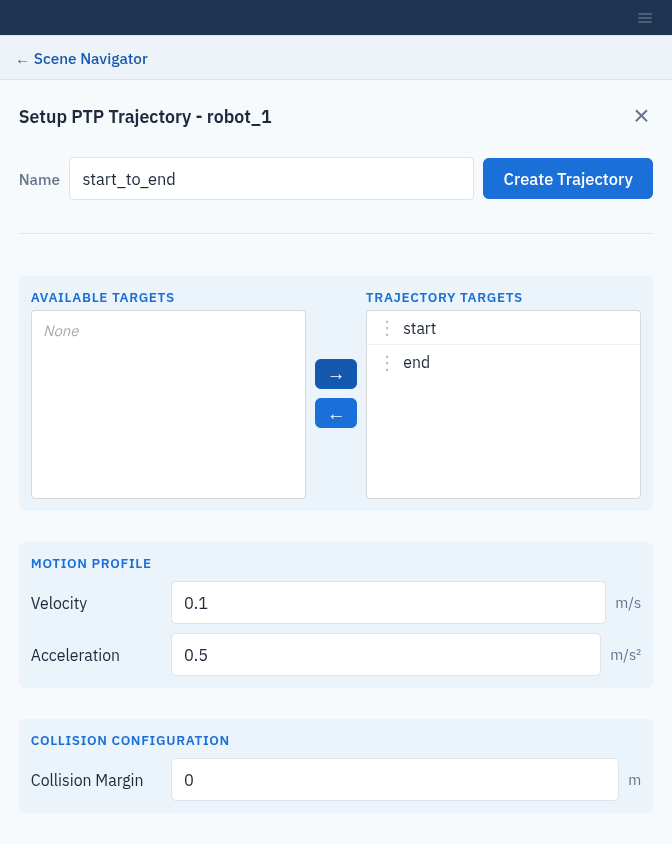
Choosing the targets of a PTP trajectory.
Important
Collision Margin is written into the default collision
configuration (Collision Configurations), so it also applies to every later
collision check in the workcell. It is written even if planning then
fails. Because the field starts at 0 m, creating a trajectory without
changing it resets the margin of default to 0.
Play back a trajectory
Select the trajectory in the tree and open Operations:
Visualize Trajectory plays the motion on the robot in the viewport. Click Stop to pause.
Drag the Playback slider to jump to any point. Dragging stops playback; click Visualize Trajectory to play on from there.
Playback runs at a fixed display speed, not at the planned velocity.
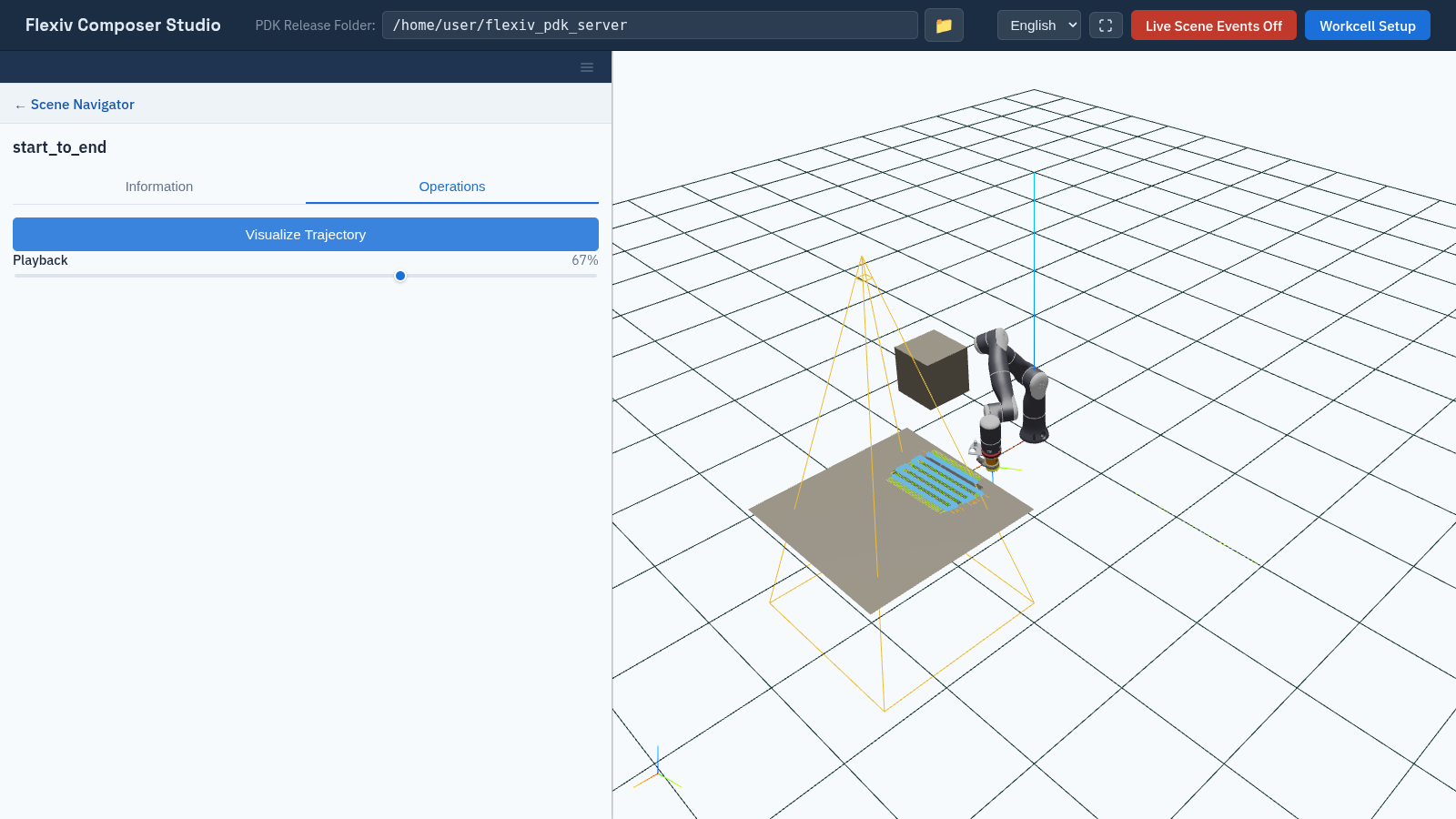
Playing back a PTP trajectory.
To delete a trajectory, click × next to it in the tree.