Linear Path Trajectories
A linear path trajectory is robot motion that moves a system’s TCP along a tool path (Tool Paths), with a set velocity and acceleration, and the force and moment the tool should apply.
Note
Linear path trajectories require the surface_finish license
(Activate Licenses).
Create a linear path trajectory
In the tree, expand the system and click + next to Linear Path Trajectories.
Enter a Name.
Under Selected Path for Trajectory Generation, choose the path. It is drawn and highlighted in the viewport.
If needed, set Normal Offset (m) (0 to 0.020 m, default 0). The path’s refined poses are moved this distance along the negative Z axis of each pose. The nominal poses, which Information lists, are not moved.
Set the robot’s starting configuration and the motion parameters on the two tabs below.
When the reachability check succeeds, click Create Trajectory. The button shows Solving… while the server computes the motion.
Reachability check
Composer Studio checks that the robot can reach the first pose of the path, and shows the result under the path selection:
IK succeeded on first pose of '<path>': the robot is shown at the first pose, and Create Trajectory is enabled.IK failed on first pose of '<path>': ..., followed by the server’s message, such asIK solver failed to find a solution (code: 3): the first pose is out of reach with the current settings. Change the initial configuration, move the part or the robot, or choose another path.
The check runs again whenever you change the offset, the elbow swivel or the external axis settings. Create Trajectory stays disabled until it succeeds.
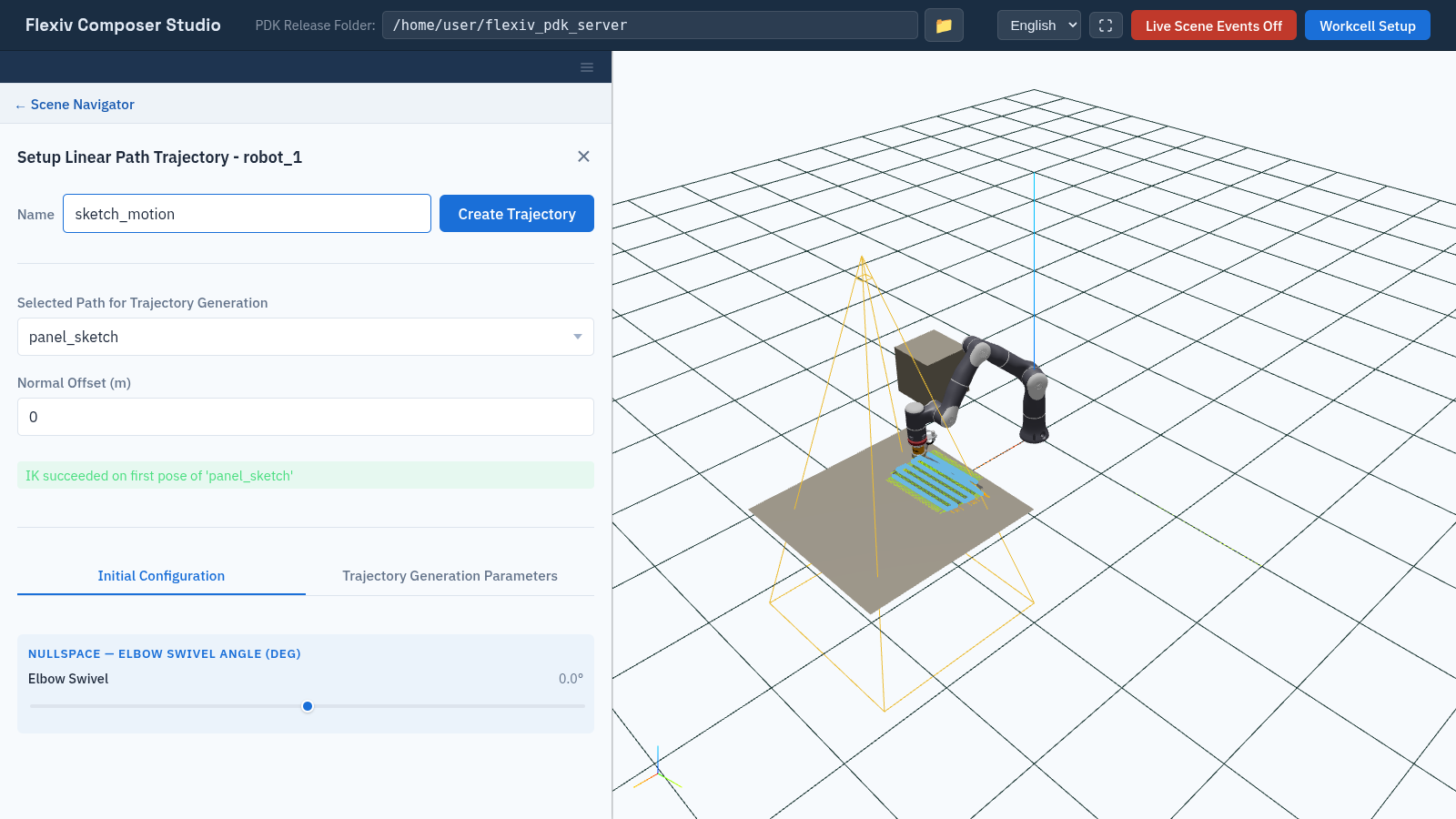
The reachability check has succeeded, so Create Trajectory is enabled.
Initial Configuration tab
Sets how the robot reaches the first pose. These are the same Elbow Swivel and external axis (Preferred / Preset) controls as in Targets.
Trajectory Generation Parameters tab
Field |
Default |
Meaning |
|---|---|---|
Force (N) X, Y, Z |
0 |
Force the tool applies along the path. |
Moment (Nm) X, Y, Z |
0 |
Moment the tool applies along the path. |
Velocity |
0.1 m/s |
TCP velocity along the path. |
Acceleration |
0.5 m/s² |
TCP acceleration along the path. |
View and play back
Select the trajectory in the tree.
Information lists the System, the TCP, and a Waypoints table with each waypoint’s Velocity (m/s), Accel (m/s²), Force (N) and Moment (Nm).
Operations has the same Visualize Trajectory, Stop and Playback controls as PTP trajectories (PTP Trajectories). Playback uses each waypoint’s velocity.
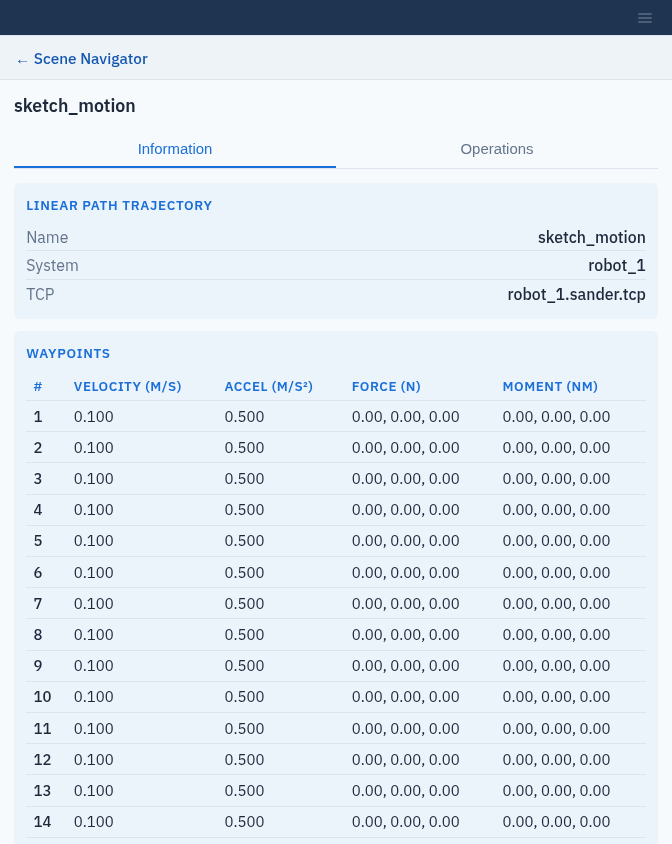
The waypoints of a linear path trajectory.
To delete a trajectory, click × next to it in the tree.