 |
Flexiv TDK APIs 1.7
|
|
Flexiv TDK APIs 1.7
|
 [
 ]()

Flexiv TDK (Teleoperation Development Kit) is an SDK for building custom robot-to-robot or device-to-robot teleoperation applications with Flexiv's adaptive robots. It enables synchronized, force-guided motion using high-fidelity perceptual feedback and supports both LAN (Local Area Network) and WAN (Internet) connections.
Flexiv TDK has been recognized on the Manipulation Net Peg-in-Hole Leaderboard. The Manipulation Net is a public benchmark for robotic manipulation in the real world at scale with any robot at any time and anywhere. This provides external evidence for the contact-rich manipulation capability relevant to TDK use cases, including compliant insertion, alignment, and force-sensitive teleoperation workflows.
🎬 Flexiv's TDK | Teleoperation Made Simple
(Click image below to play)
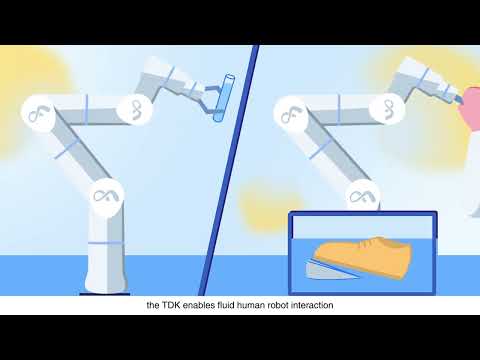
The online site flexivrobotics.github.io/flexiv_tdk documents TDK v2.x. This repository tag is TDK v1.7. Do not use the online v2.x API pages with this release.
For the v1.7 user manual and C++ API, generate the docs locally from this tree and open them in a browser (see Generate Documentation).
| OS | Processor | Languages | Compiler Requirements | Python Versions |
|---|---|---|---|---|
| Ubuntu 22.04+ | x86_64, aarch64 | C++, Python | GCC ≥ 11, CMake ≥ 3.16.3 | 3.10, 3.12, 3.14 |
| macOS 14+ | arm64 | C++, Python | Apple Clang ≥ 15, CMake ≥ 3.16.3 | 3.10, 3.12 |
>💡 Need support for other platforms? Contact Flexiv.
We recommend installing TDK into a dedicated virtual environment, e.g. with venv or conda/mamba:
This installs TDK v1.7 and its hard dependency flexivrdk==1.9.4.1. Replace 3.x with a supported Python version.
NOTE: inside an activated environment, use python rather than python3.x, which silently falls back to the system Python if the environment has none.
Verify the installation in the activated environment:
python -c "import flexivtdk, flexivrdk; print(flexivtdk.__version__, flexivrdk.__version__, flexivtdk.__file__)"
The versions should be 1.7 and 1.9.4.1, and the path should be inside your environment.
IDE support: flexivtdk ships type stubs, so VS Code, Cursor and PyCharm provide code completion, signature hints and inline docs. Select the environment's interpreter in the IDE (VS Code / Cursor: Ctrl+Shift+P → Python: Select Interpreter), since activating it in a terminal does not affect the IDE. If import flexivtdk is marked unresolved, the IDE is using a different interpreter.
Accurate time sync is critical for teleop over the internet. For WAN teleop, there are two edge computers, one acting as a server and the other as a client, and the system time of these two computers needs to be calibrated.
Note: This is only required for WAN Teleoperation, users can skip this section if only using LAN teleoperation.
System time: the instantaneous offset between local system clock and NTP reference
RMS offset: the long-term average offset (root mean square) over time
| Network Condition | Good (ms) | Acceptable (ms) | Poor (ms) |
|---|---|---|---|
| System time | < 1 | 1 - 10 | > 10 |
| RMS offset | < 5 | 5 - 20 | > 20 |
To allow a regular user to create high-priority (real-time) threads without sudo, configure system to apply real-time and nice priority limits:
Log out and log back in (or reboot) for the settings to take effect.
To run an example Python script in this repo, in the activated environment:
Check each example’s source code for usage details.
The TDK is distributed as a modern CMake project named flexiv_tdk.
Example: ~/tdk_install
🌐 Internet connection to GitHub is required for 3. Build & Install Third-Party Dependencies and 4. Configure & Install TDK.
After the TDK library is installed, it can be found as a CMake target and linked to from other CMake projects. Using the provided examples project for instance:
NOTE: -D followed by CMAKE_PREFIX_PATH tells the user project's CMake where to find the installed TDK library.
CMake records the install lib directory in the example's rpath, so Linux and macOS can run the binary directly:
TDK looks up libflexiv_rdk next to itself ($ORIGIN / @loader_path). The install lib directory must contain both libflexiv_tdk and libflexiv_rdk. Fallback:
Check each example’s source code for usage details.
Flexiv TDK is licensed under the [Apache License 2.0](LICENSE).
The prebuilt libflexiv_tdk library statically embeds spdlog and fmt (MIT), Eigen (MPL-2.0), Eclipse Zenoh and the Rust crates Zenoh depends on. Upstream Zenoh is dual-licensed Apache-2.0 OR EPL-2.0; this SDK redistributes Zenoh under Apache-2.0 only. Notices, the full Rust crate inventory and license texts: THIRD_PARTY_NOTICES.md.
The online GitHub Pages site is TDK v2.x. For TDK v1.7 (this tag), build the user manual and Doxygen API locally:
Open http://127.0.0.1:8000/ in a browser. The C++ API is at http://127.0.0.1:8000/flexiv_tdk/api/doxygen/. More detail: docs/README.md.
 1.15.0